

View mode
View Mode provides a read-only view of the flows within a project. It removes the editing controls so flows can be reviewed more easily and prepared for PDF output.
By default, View Mode displays All flows. You can switch to Selected flow when you only want to review the flow you were working on.
Viewing all flows
When you open View Mode, all flows in the project are displayed.
Flows appear in the same order as they do in the Flows sidebar. Changing the order in the sidebar also changes their order in View Mode and in generated PDFs.
Each flow is displayed without the editing controls used on the Flows page, while retaining its persona, actions, outcomes and references.
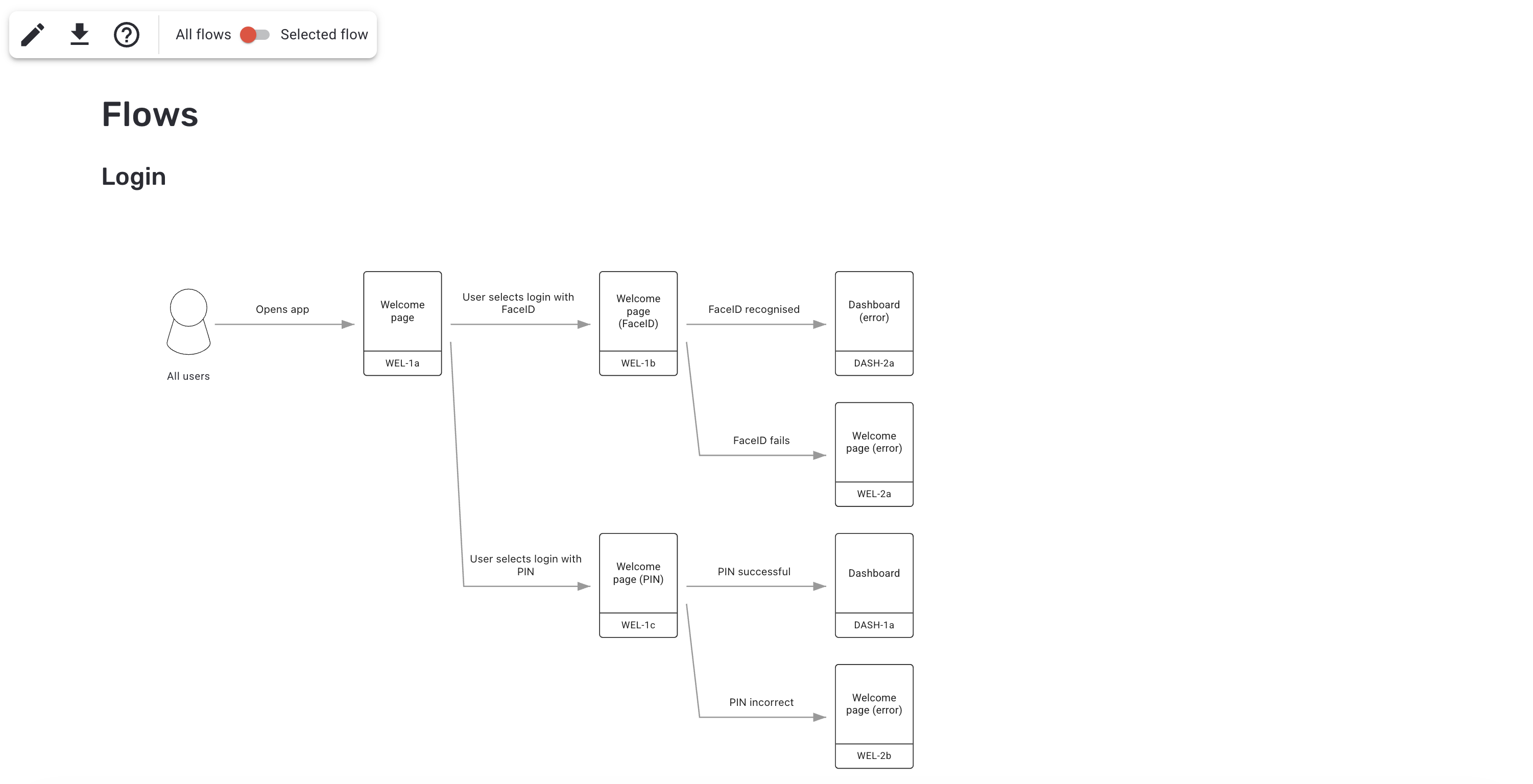
View all flows
Viewing the selected flow
Use the All flows / Selected flow switch in the toolbar to display only the flow that was selected when you entered View Mode.
Switching between these options also changes the Personas and Outcomes information shown further down the page.
Personas
The Personas section shows the personas associated with the flows currently being viewed.
When All flows is selected, it shows the personas used across all flows in the project.
When Selected flow is selected, it shows the persona associated with that flow.
Each persona is shown with its name, description and assigned colour.
Outcomes
The Outcomes section shows the named outcomes associated with the flows currently being viewed.
When All flows is selected, it shows the named outcomes used across all flows in the project.
When Selected flow is selected, it shows only the named outcomes used in that flow.
Depending on the information entered for an outcome, it can show:
- Outcome name
- Description
- System outcome / impact
- Reference
- Flows in which it is used
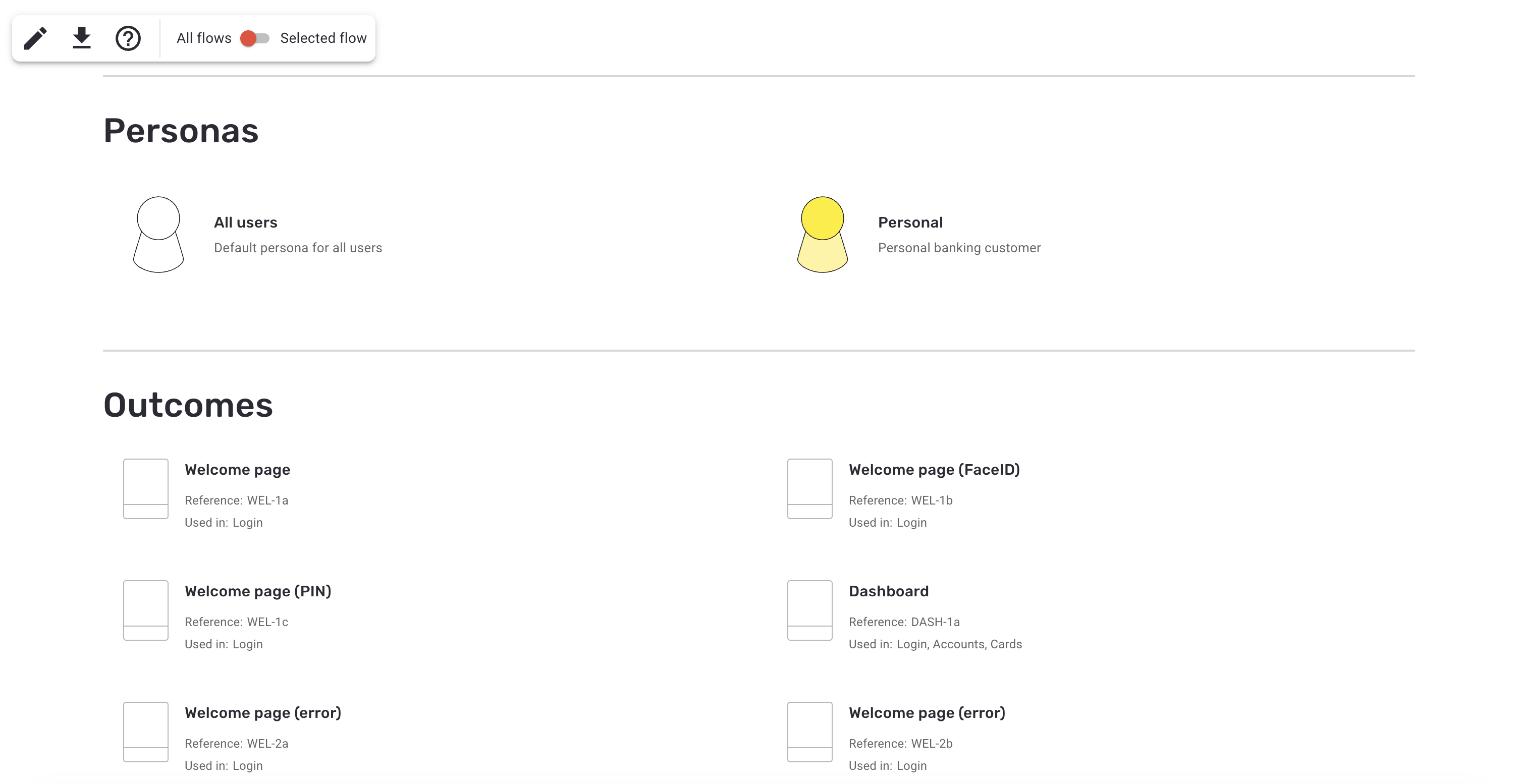
Personas and outcomes are included in View Mode
Creating a PDF
Select the PDF button in the toolbar to generate a PDF of the current View Mode content.
The All flows / Selected flow setting determines which flows, personas and outcomes are included.
Bucket Flows automatically scales and divides larger flows where necessary so they can be presented across printable pages while preserving the flow structure.
Returning to edit mode
Select the Edit button in the toolbar to return to the Flows page.
The previously selected flow remains selected when you return.
Getting help
Select the Help button in the toolbar to open the Bucket Flows help documentation.
Updated 13 days ago