

Outcomes sidebar
The Outcomes sidebar on the right of the Flows page shows the named outcomes available within the project.
Only outcomes that have been given a name appear in the sidebar. Unnamed outcomes remain part of their flows but are not listed.
Named outcomes can be reused across multiple flows, so the sidebar provides a project-wide view of the outcomes that are available.
Editing an outcome from the sidebar
Select an outcome in the sidebar to edit its details.
Because the same outcome can be used in more than one flow, any changes you make are applied to every instance of that outcome across the project.
The Edit Outcome window shows how many flows currently use the outcome, helping you understand the impact before saving changes.
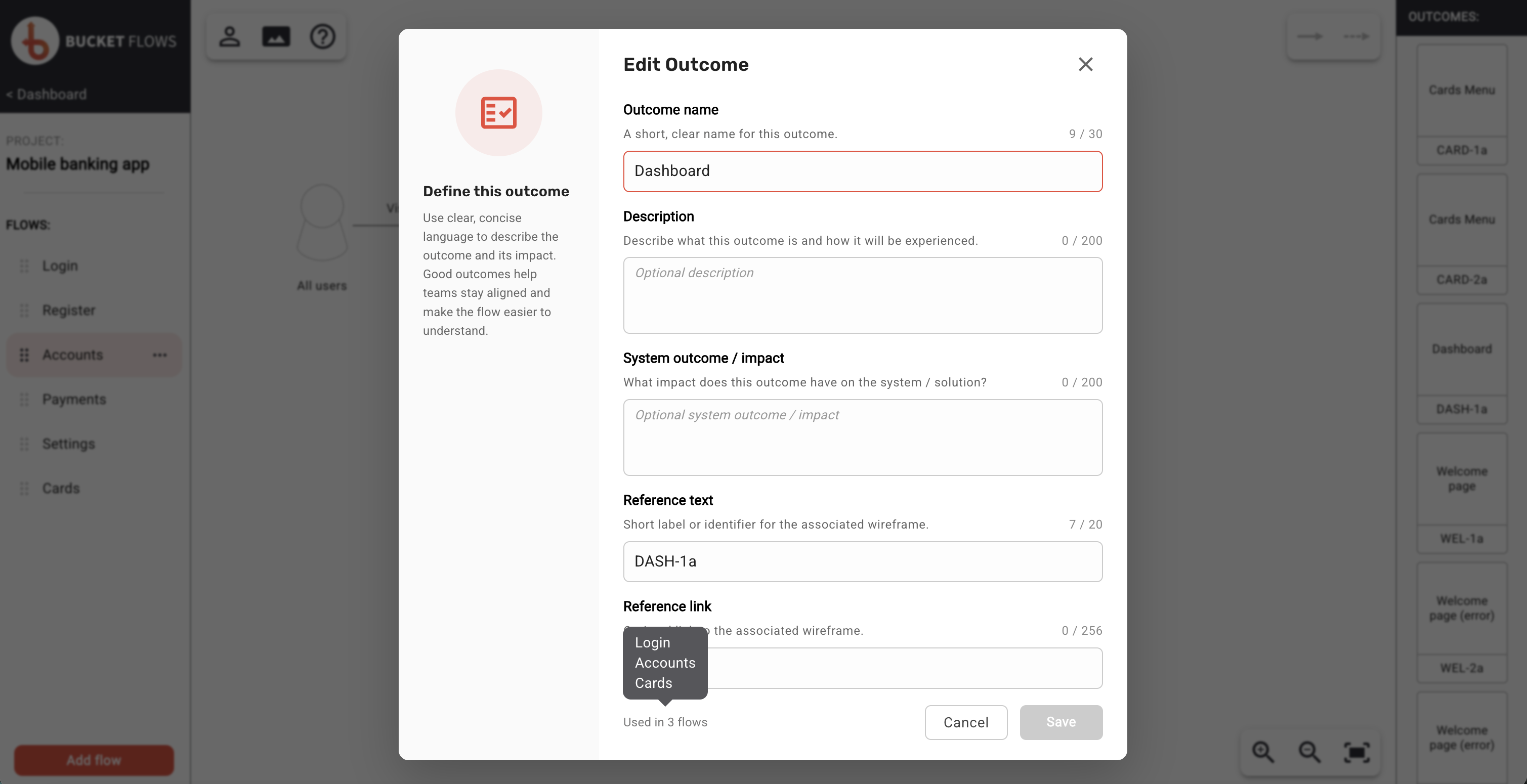
Editing an outcome used in multiple flows
Deleting an unused outcome
Outcomes that are not used in any flows can be deleted from the project.
Delete is only available when the outcome is no longer referenced by any flow. This prevents an outcome from being removed while it is still in use.
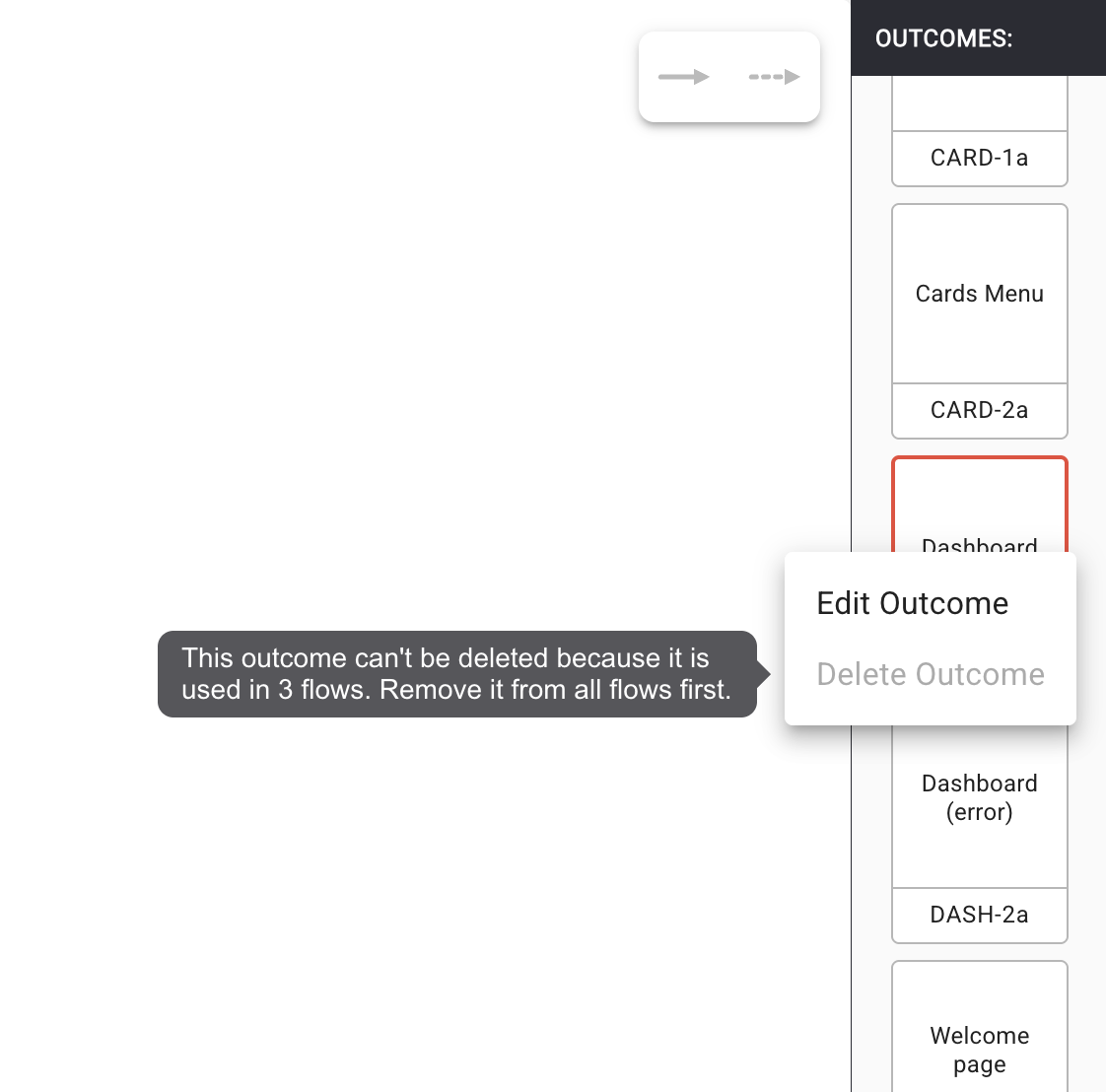
Delete unavailable
Deleting an outcome removes it from the project completely and cannot be undone.
Updated 14 days ago