

Personas
Personas identify the user or group represented by a flow. Each flow has one persona, shown at the start of the flow before the first action.
Flows use All users by default. Additional personas can be created in the Persona Library and then assigned to the flows they represent.
Persona Library
Open the Persona Library from the persona button in the top-left toolbar.
The library contains the personas available within the project. All users is always available, and any additional personas you create appear alongside it.
From the Persona Library you can add new personas and select an existing persona to edit or delete it.
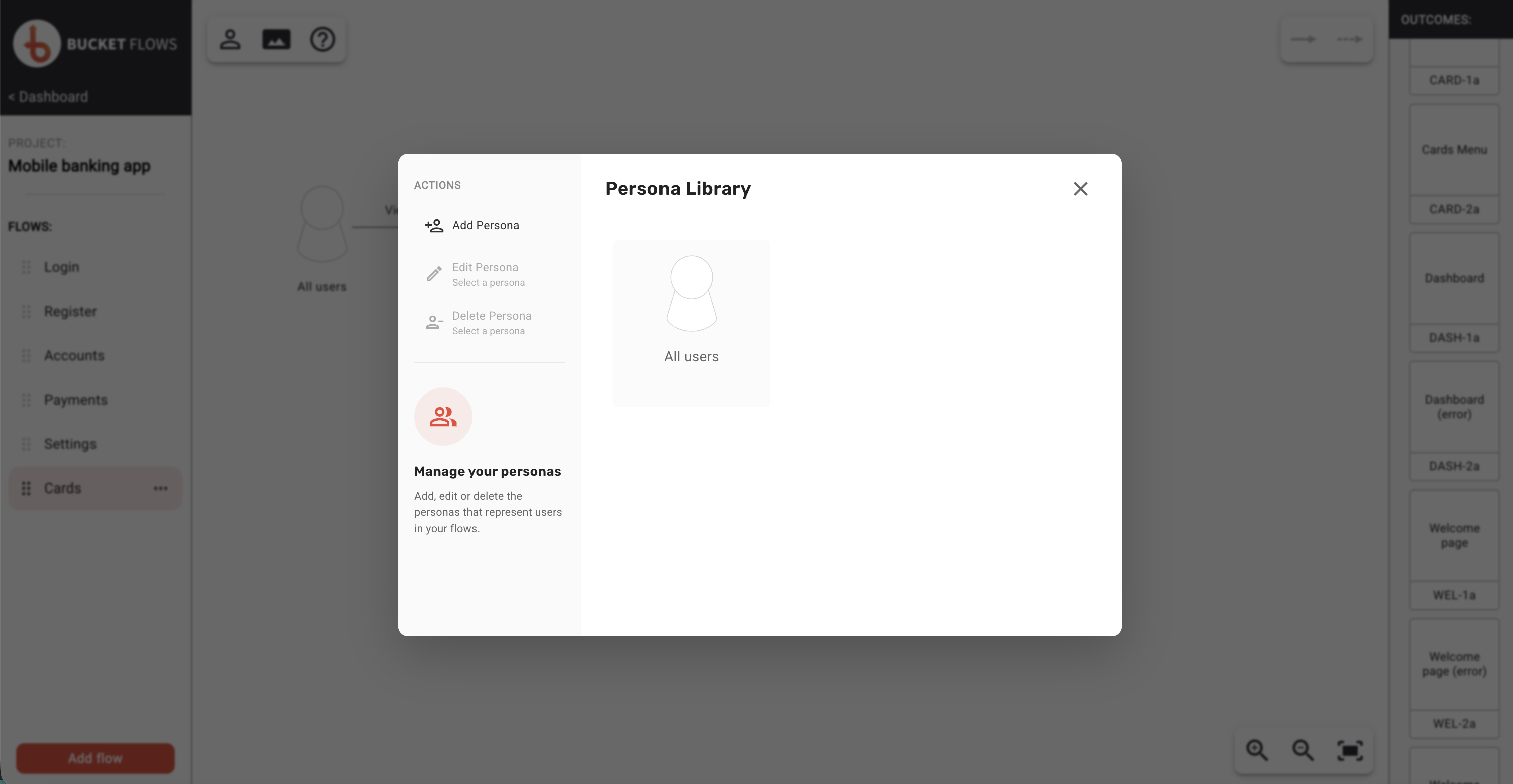
Default persona library
Adding a persona
Select Add Persona in the Persona Library.
Enter a Persona name of up to 30 characters and, if useful, a Description of up to 200 characters describing the user or group the persona represents.
Choose a colour to help distinguish the persona from others in your flows.
A persona name is required before Add to library becomes available.
Select Add to library to create the persona and make it available across the project.
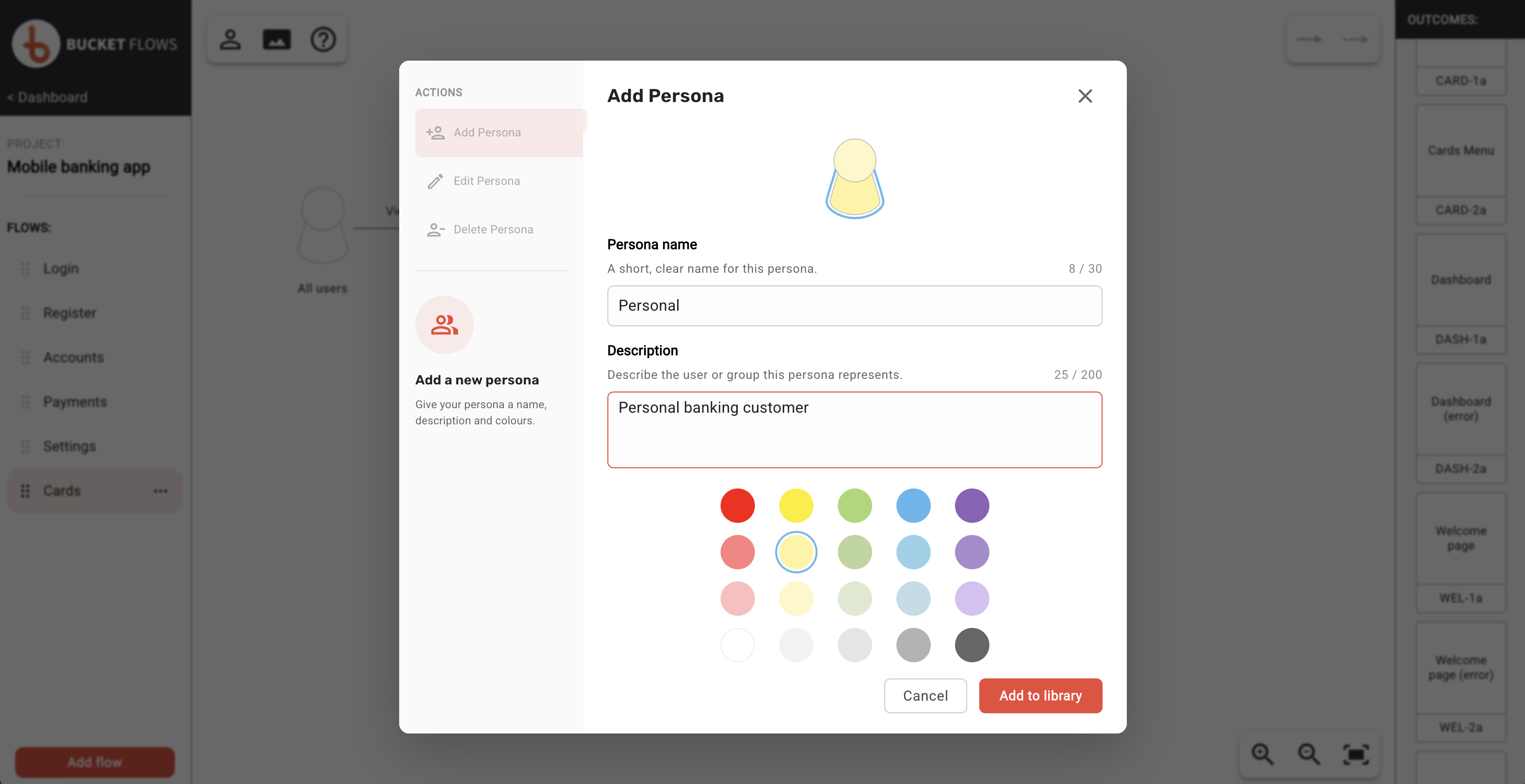
Add persona to library
Editing a persona
Select a persona in the library, then select Edit Persona.
You can update its name, description and colour. Select Update Persona to save your changes.
If the persona is used by more than one flow, the changes are reflected everywhere that persona is assigned.
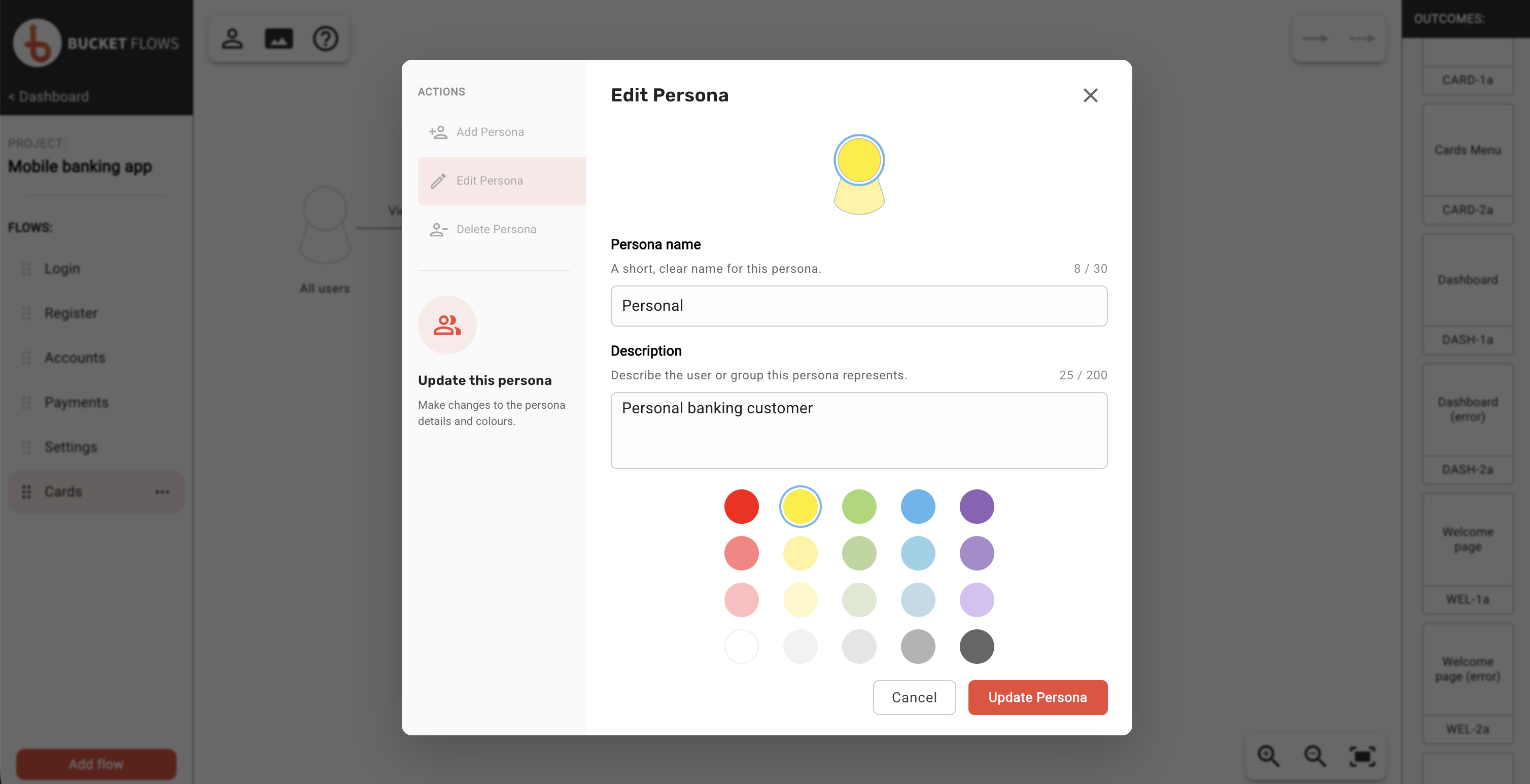
Edit persona
Deleting a persona
Select a persona in the library, then select Delete Persona.
If the persona is currently assigned to any flows, the confirmation message lists the affected flows. Those flows will be reassigned to All users when the persona is deleted.
Select Delete to remove the persona from the project.
Deleting a persona cannot be undone.
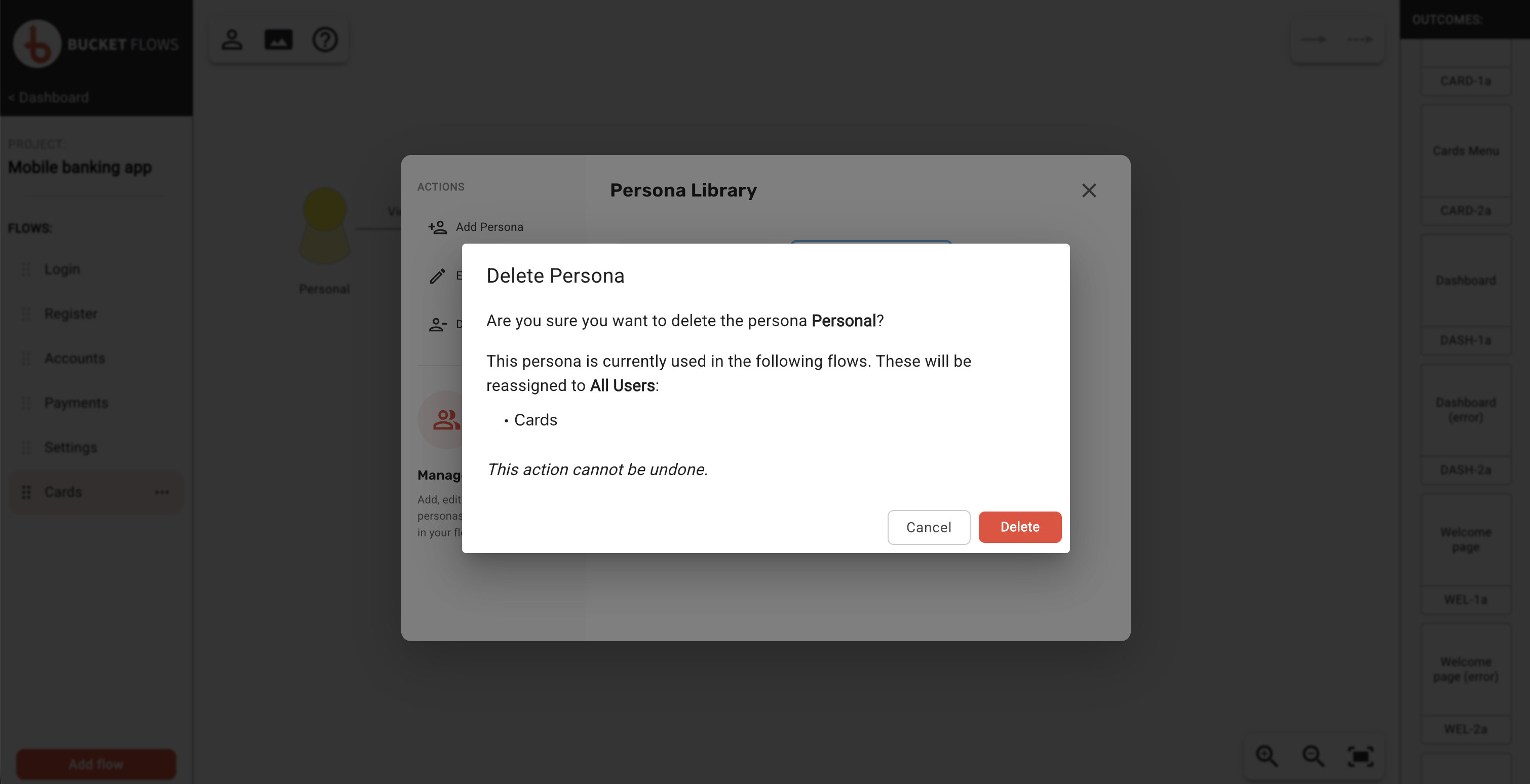
Delete persona
Changing the persona for a flow
Once you have created the personas you need, you can assign them to individual flows.
Select the persona shown at the start of the flow to open Swap Persona, then choose the persona you want to use.
The change applies to the selected flow only.
Select All users when the flow is not intended for a specific persona.
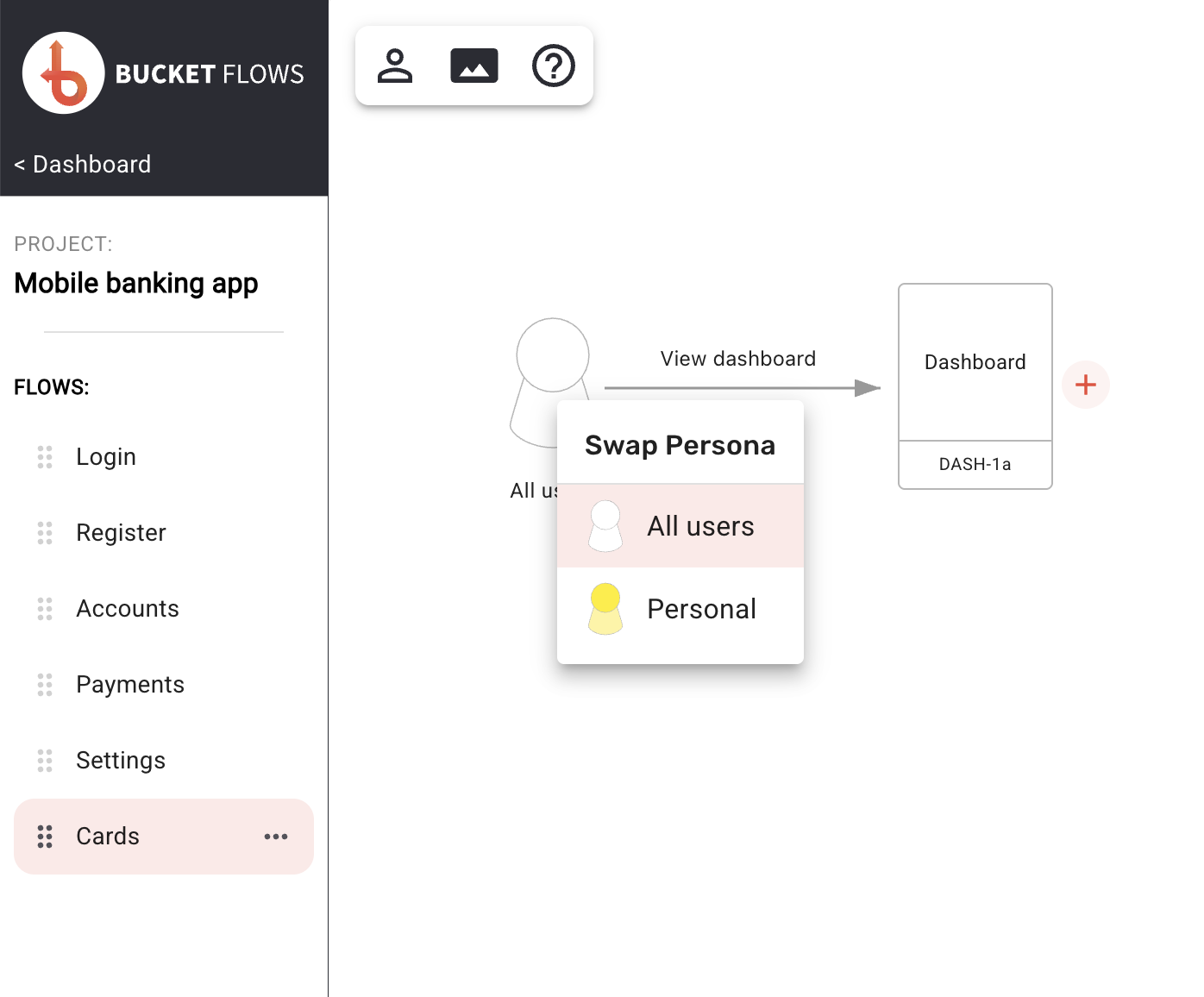
Swap persona
Updated 13 days ago